

How to Create a Google Review Link
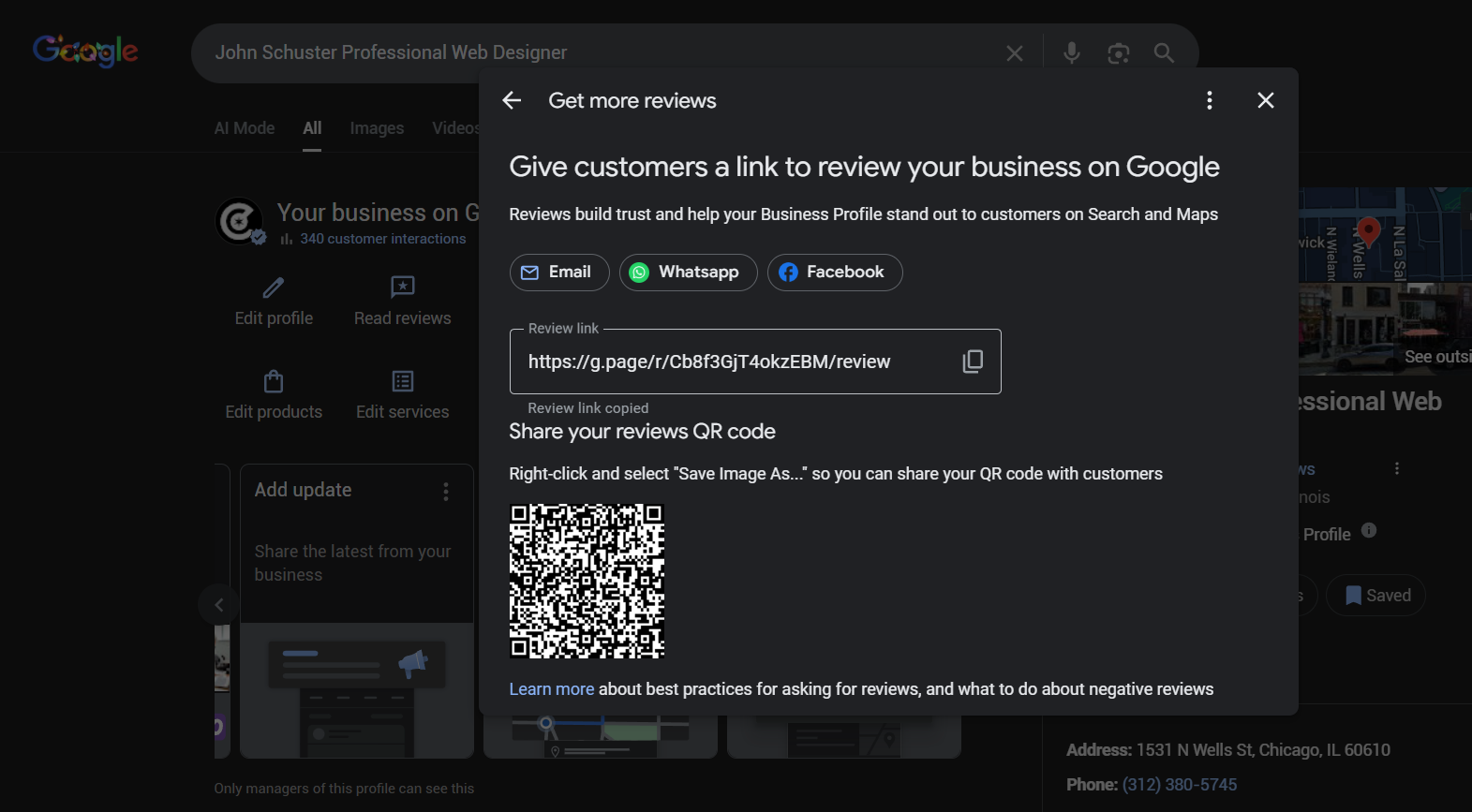
The easiest way to get your Google Review link is by using your Google Business Profile dashboard.
Log in to Google Business Profile Manage using your Google business account.
Navigate to the ‘Home’ tab in your dashboard.
Scroll down to find the ‘Get More Reviews’ card.
Click on the ‘Share Review Form’ button to generate your unique Google Review link.
Copy the link provided and share it with your customers via email, social media, or your website.
That’s it! This link will take your customers directly to the review form for your business, making it easy for them to leave feedback.
n case you know your Google business ID, here’s a URL format you can use to generate a Google Review link for your business:
Replace PLACE_ID in the following link with your business’s Place ID: https://search.google.com/local/writereview?placeid=PLACE_ID
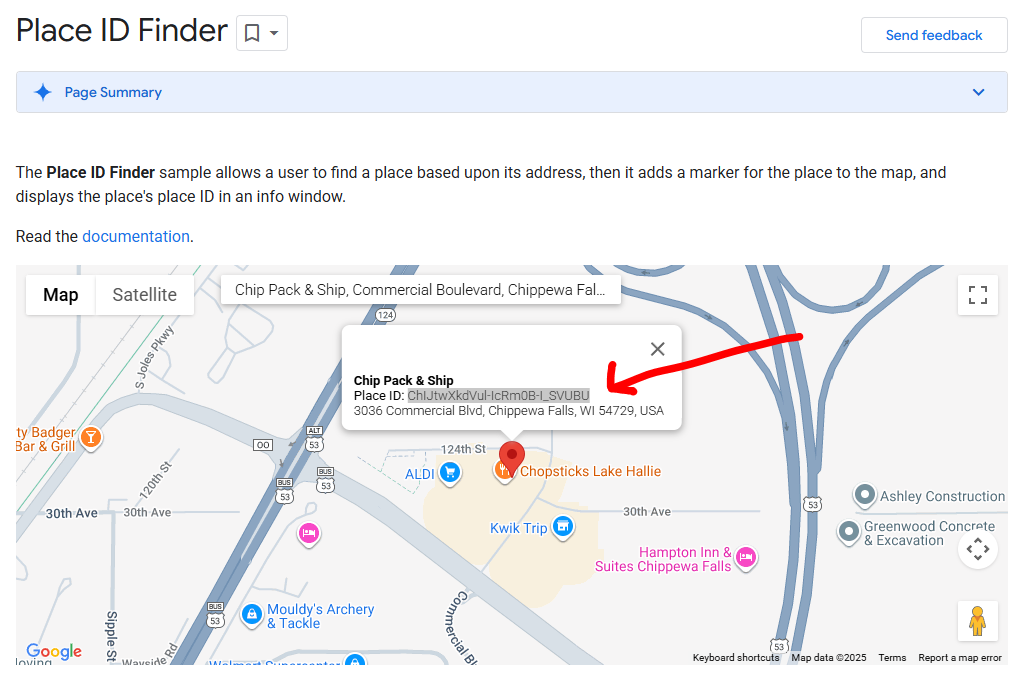
To find your Place ID:
Go to the Google Place ID Finder.
Search for your business name or address.
Copy the Place ID from the results and paste it into the URL above.
For example:
If your Place ID is ChIJtwXkdVul-IcRm0B-I_SVUBU, your review link will be:
https://search.google.com/local/writereview?placeid=ChIJtwXkdVul-IcRm0B-I_SVUBU