
Great Design
Unlock growth possibilities and captivate your audience with stunning, intuitive, and user-friendly web design, tailored to tell your unique story and amplify your online presence.
Get a Price Quote
Challenge Your Paradigm
In order to grow, one must be willing to step out of their comfort zone and face challenges head-on.
Unleash Your Inner Warrior
Discipline Is Key
Training is not just about building muscles and stamina; it's about disciplining your mind and honing your skills.
Follow Your Destiny
Built With
Slider Revolution™
Want to nail that first impression on the home page?
How about getting more eyes on your portfolio?
Or perhaps you want to give your new product some room to shine?
Get Slider Revolution Now
YouTube
Dribbble
Instagram
武士の精神
Web Designer
How to Create Your Own Website: A Guide from a Professional Web Designer
Over the years, I have worked with a diverse range of clients, which has allowed me to learn and implement a myriad of website creation strategies. Today, I want to share some of these valuable insights with you. So, without further ado, let’s dive into how you can create your own website from scratch.
Step 1: Define Your Website’s Purpose
The first step in creating a website is to define its purpose. What do you want to achieve with this website? Whether it’s an online portfolio, a blog, an ecommerce store, or a professional site for your business, being clear about your site’s purpose will guide every decision you make moving forward.
Step 2: Choose the Right Platform
There are several website creation platforms available today, each with its own set of advantages and disadvantages. These include WordPress, Wix, Squarespace, and Shopify among others. If you’re starting and prefer a hands-on approach, I recommend WordPress, which is highly customizable and powers around 40% of all websites as of my knowledge cut-off in 2021. Alternatively, for those wanting a more streamlined, drag-and-drop interface, platforms like Wix or Squarespace may be more suitable.
Step 3: Select a Domain Name
Your domain name is your online identity. It should be unique, memorable, and represent what your website is all about. Domain names can be purchased from registrars such as GoDaddy, Namecheap, or Bluehost. Remember, choose a .com domain if possible, as it’s universally recognized and easy to remember.
Step 4: Choose a Web Hosting Provider
Once you have a domain, you’ll need a server to host your website. This is where hosting providers come in. Choose a reliable provider that guarantees minimal downtime and offers excellent customer service. Some popular hosting providers include Bluehost, SiteGround, and HostGator.
Step 5: Design Your Website
When designing your site, consider your audience and your website’s purpose. Use a responsive design to ensure your site looks good on all devices. Keep navigation intuitive and straightforward. Ensure your site loads quickly, as load times can impact user experience and search engine rankings.
Step 6: Add Relevant Content
Content is king in the digital world. Make sure your website offers valuable content that aligns with your site’s purpose. Be consistent in your tone and style. If you’re not a seasoned writer, consider hiring a content writer to help you create compelling content that will engage your visitors and keep them coming back for more.
Step 7: Optimize for SEO
Search Engine Optimization (SEO) is crucial in increasing your website’s visibility on search engines. Use relevant keywords in your content, optimize your images, and use meta tags to improve your site’s SEO. Additionally, consider creating a blog to provide fresh content, which search engines love.
Step 8: Test and Publish
Before you hit that publish button, ensure that your site works perfectly. Check all links, load time, and responsiveness. Once everything looks good, go ahead and publish it. Congratulations, you now have your own website!
Creating a website is a journey, not a one-time event. As you grow, your website should too. Regularly update your content, look for new ways to optimize, and stay on top of current web design trends. If you need help creating a website or want professional advice, feel free to reach out to me. I’m always here to help!
Remember, the online world is your oyster, and having a well-designed, functional website is your pearl. Good luck, and happy website building!
Standing Out Among Chicago Web Development Companies
As the digital landscape continues to evolve, the demand for high-quality, reliable, and innovative web development services is higher than ever. Businesses all across the Windy City are in need of professionals who can take their online presence to the next level. Among the numerous Chicago web development companies, there’s one name that consistently stands out: John Schuster.
A Pioneering Force in Chicago’s Web Development Scene
Having published hundreds of websites and thousands of web pages since 1997, my track record speaks for itself. My longevity in this field is not just a testament to my experience but also a reflection of my adaptability and commitment to stay on top of the latest technologies and trends.
Unlike other web development companies, I don’t lock you into any proprietary code or platforms. This gives you the freedom and flexibility to choose the best solutions for your specific needs. Whether you’re looking to build a custom web application or a user-friendly eCommerce platform, I provide services tailored to your unique requirements.
Offering More Than Just Development
My services extend beyond just web design and development. From content editing to creating copy and images, I aim to serve you punctually and professionally beyond your expectations. I understand that a successful website isn’t just about how it looks, but also how it functions and serves your business goals.
Moreover, I believe in empowering my clients. I will instruct you and your team on how to update and maintain your website yourselves. Of course, if you prefer, I can also provide affordable maintenance packages and take care of updates on your behalf.
A Commitment to Quality and Customer Satisfaction
The quality of my work and the satisfaction of my clients are my top priorities. All my designs and developments are to the highest standards of the trade. In the unlikely event of a code error, I will re-edit, and re-publish at no cost to you. This level of service and dedication is what sets me apart from other Chicago web development companies.
Chicago Web Development Companies
In a city as vibrant and competitive as Chicago, standing out among web development companies is no easy feat. However, my approach to providing personalized, high-quality web services, and a commitment to customer satisfaction have allowed me to make a name for myself in this industry.
If you’re looking for a web development partner who is as committed to the success of your business as you are, don’t hesitate to reach out. Let’s work together to create a digital presence that is not just functional and aesthetically pleasing, but also optimized for your business success.
The new release brings several notable features and improvements.
One of the key highlights is the introduction of drawing support, allowing users to create freehand drawings using a pen or highlighter. This feature is available in presentations, documents, and spreadsheets.
Another useful addition is the ability to save documents and sheets as images in JPG or PNG format. This feature facilitates easy sharing and saving of files across different channels.
ONLYOFFICE Docs 7.4 also includes upgrades to plugins, thanks to an extended API. This enables the use of multiple windows, allowing users to execute custom scripts in separate windows. The article highlights the ChatGPT plugin as an example of a plugin with enhanced features.
The spreadsheet component of ONLYOFFICE has received various improvements. The protection feature now allows users to set editing rights for specific users. Pivot tables have been enhanced with a “Show values” setting and a context menu for customization. Additionally, new formulas such as SEQUENCE, XMATCH, EXPAND, FILTER, ARRAYTOTEXT, and SORT have been added.
A new type of chart called “Radar” has been introduced, which helps visualize multivariate data effortlessly.
Users can now merge two versions of a document, including unsolved tracked changes, using the combine documents feature. Objects such as charts, text boxes, shapes, and Smart Art can also be saved as PNG images with transparent backgrounds.
The release also includes other changes and improvements, such as new features in the document editor, improved localization, optimizations to the form creator, and interface scaling options.
ONLYOFFICE Docs 7.4 is available for various platforms, including Docker, Windows, and AWS Cloud. Users can download it from the official website.
Overall, the release of ONLYOFFICE Docs 7.4 introduces several useful features and improvements, enhancing the functionality and versatility of the open-source office suite.
Have you ever found yourself stuck while writing in Google Docs, creating a presentation in Slides, or drafting a message in Gmail? Now, you can have the power of ChatGPT right where you need it most, thanks to GPT Workspace.
You can get started right now for free. Plus, for a limited time, you can use code “9to5Google“ to get 50% off a new subscription.
Is your business in need of a custom web application? If so, you’ll want to work with a team of experienced developers who can create the perfect solution for your needs. At our company, we specialize in custom web application development Chicago businesses can rely on. We’ll work with you to understand your unique requirements and develop a solution that meets your needs both functionally and aesthetically. Contact us today to learn more about our services!
Building a web design portfolio can be a great way to showcase your skills and attract potential clients. But how do you go about creating one? Here are some tips:
1. Choose the right platform. There are many different platforms that you can use to build your portfolio, so it’s important to choose one that will best suit your needs. If you want to create a simple website, WordPress or Squarespace may be a good option. However, if you’re looking for something more robust, consider using Behance or Dribbble.
2. Showcase your best work. When choosing what to include in your portfolio, it’s important to only showcase your very best work. This means choosing projects that you’re proud of and that show off your skills in the best light possible.
3. Use an engaging design. Once you’ve chosen the projects you want to include, it’s time to start thinking about how you want to present them. An engaging design is key to keeping visitors interested in your portfolio. Make sure your site is easy to navigate and includes plenty of visuals to break up the text.
4. Tell a story. In addition to showing off your work, your portfolio should also tell a story about who you are as a designer. Use your About page to give visitors an insight into your process and what drives you as a creative professional.
5. Promote yourself. Once your portfolio is live, it’s important to promote it to ensure potential clients can find it. Share it on social media, add it to your email signature, and reach out to clients directly to let them know about your work.
By following these tips, you’ll be well on your way to creating a web design portfolio that’s sure to impress.
Meta has unveiled its second NIL Empower class. With a focus on education, mentorship, career coaching and brand connections, 30 women athletes from across nine conferences will have the opportunity to increase their NIL value on Facebook and Instagram.
Each athlete will be associated with a brand as part of the deal. Meta has already signed five athletes to a partnership with the meal-planning company Eat to Perform. The company is still looking to sign on more brands as part of the initiative.
As part of their partnership with the technology conglomerate, athletes will sit in educational sessions with Meta and NIL experts. The classes will include lessons on the best practices on Facebook and Instagram, specifically with a focus on reels and monetization. This will put the student-athletes at an advantage to build their social media following and cash in with their NIL.
Four-time WNBA All-Star Alana Beard will also sit down for a career development workshop with the selected athletes. She is now the founder of Transition Play, which is a platform focusing on the talent development of athletes.
Athletes will also be assigned an NIL mentor where they will be given one-on-one access. The first iteration of the initiative launched last fall. Meta has been an agressive player in the NIL space. Earlier this year it announced a partnership with INFLCR, bringing social media education and direct account support to student-athletes on the platform.
No terms of Meta’s contract were disclosed.
Women cashing in with NIL Era
Meta is not the first organization to use NIL as a marketing tool. Sprouts Farmers Market signed 50 women to NIL deals to celebrate Title IX’s anniversary. Bumble also announced a very similar deal with 50 more female athletes.
Women have been one of the biggest winners in the NIL Era. Data recently released by Opendorse, which provides technology to the athlete endorsement industry, showed that women who play basketball, volleyball, softball and who compete in swimming or diving rank third through sixth, respectively, in terms of the total compensation earned on the platform, by sport, through the end of May.
Link
Today High Sight Roofing announced the creation of Happy Roofing, a new roofing company that will bring together the company’s new branding image. Following breakout growth of the company’s business, and the introduction of new products for sale, Happy Roofing products are designed to help homeowners save money on their new roof.
Today, the Happy Roofing suite of products includes:
- Roof Replacement
- Tear-offs
- Roof Repair
- Storm Damage Roof Repair
- Roof Leak Repair
- Shingle Replacement
- Chimney Flashing Repair
- Roof Inspection
- Siding Replacement
- Gutter Replacement
Until now, homeowners have had few options for roof repair or installation. Happy Roofing is DuPage County’s low-risk roofing company. They work exclusively with homeowners in Naperville and the surrounding towns.to troubleshoot, repair, or replace their roofs.
“For us, integrating customer support, sales and IT is critical to providing the best customer experience possible,” said the, CEO and Founder at Happy Roofing. “We started using the Happy Roofing rebranding in 2022 and it’s made a huge impact on our image we communicate with customers.
Happy Roofing’s mission is to help better engage and communicate with their customers and employees.

To learn more, visit https://happyroofing.com
About Chicago Website Designer, John Schuster
John Schuster is a freelance professional web designer and developer in Chicago, Illinois. He builds affordable priced websites for businesses and organizations.
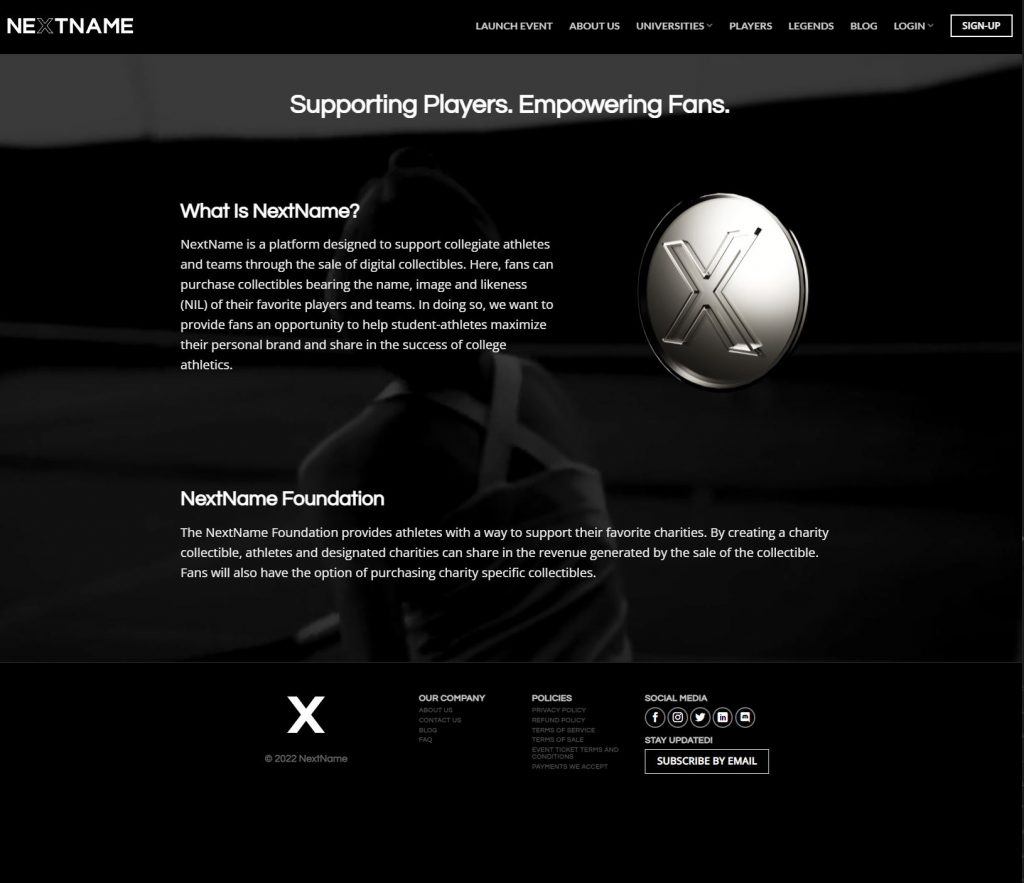
NextName is a platform designed to support collegiate athletes and teams through the sale of digital collectibles. Here, fans can purchase collectibles bearing the name, image and likeness (NIL) of their favorite players and teams. In doing so, we want to provide fans an opportunity to help student-athletes maximize their personal brand and share in the success of college athletics.
Visit the website to learn more.
Impact Sport Lighting is a business consisting of lighting professionals with a passion for sports and family entertainment with over 30 combined years of experience in energy-efficient lighting design, manufacturing, installation, and world-class business service and acumen. They just went live with their new website created by my friend and fellow Chicago area creative professional Kody McCormick of The Out Bound Life.
The new website URL is: impactsportlighting.com
Check it out and learn more about what their business has to offer.
You must be logged in to post a comment.